Process Documentation
Design statement
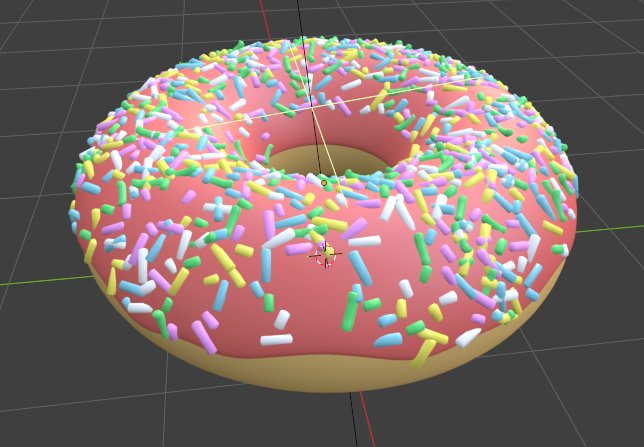
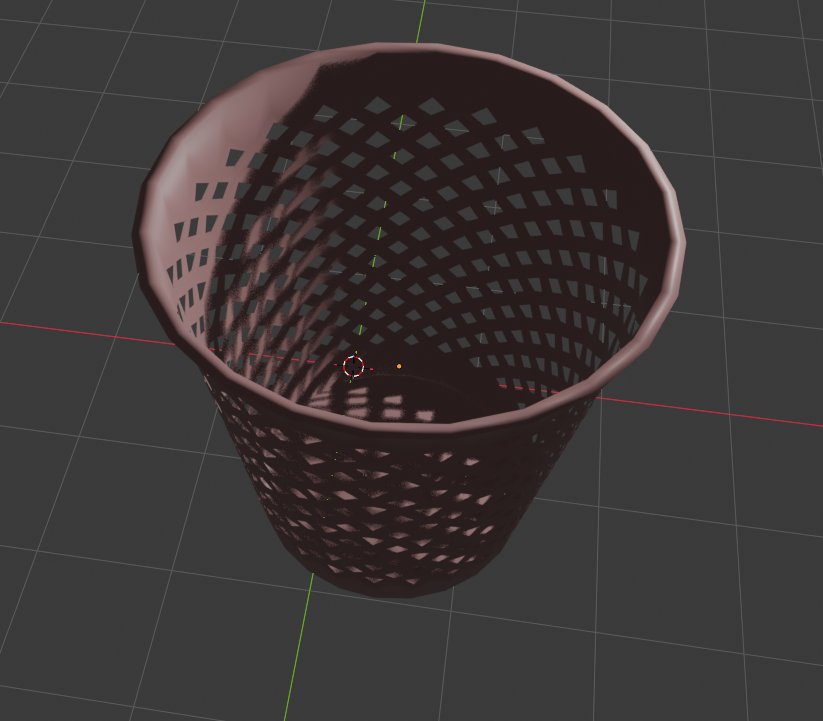
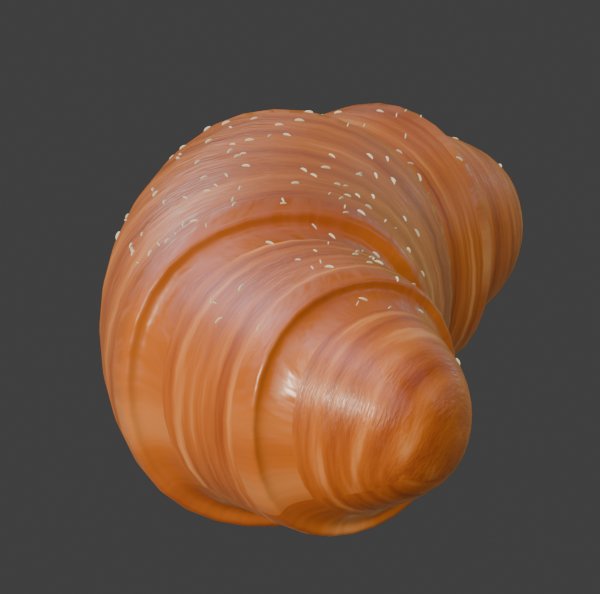
Module 1 treated everyday objects as data: something to be looked at, measured and rebuilt, then published so other people can look at it too. I started with a primitive form — a supplement bottle that is really a cylinder — moved on to complex geometry, and finished with three models published as interactive objects on the web: a donut, a dustbin and a croissant. I chose them as a set. They sit at a similar scale, they are all things found on a counter, and two of them are food, which matters for the conceptual reasons below. Each one also needed a different technique: a particle scatter, a revolved and perforated profile, and a full UV and texture-baking pipeline.
Conceptual research Lectures & workshops
Semiotics — what makes a model read as the real thing · Week 4 lecture
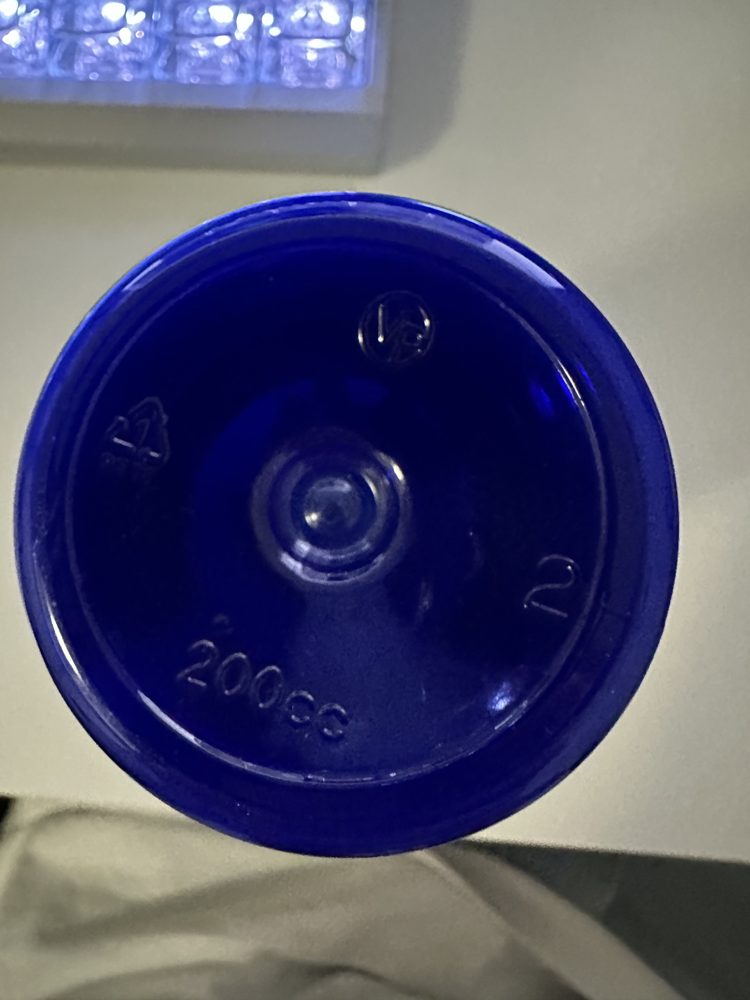
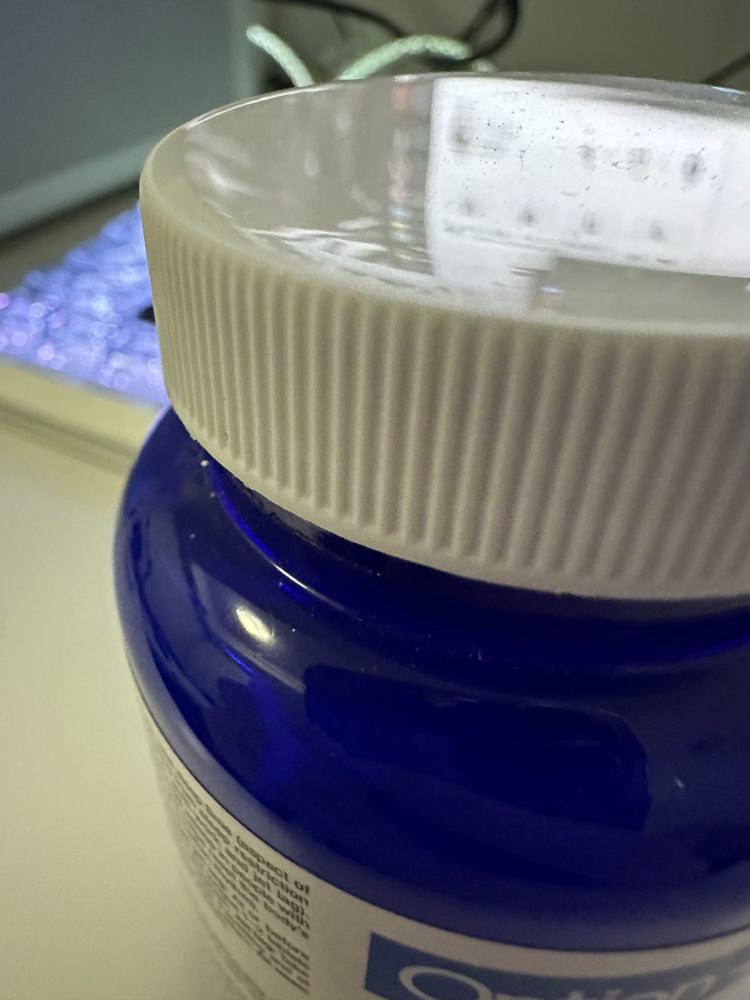
The Week 4 lecture introduced Peirce's three kinds of sign: iconic (the sign resembles what it stands for), indexical (the sign is caused by what it stands for) and symbolic (the link is cultural convention). Modelling made me realise that a 3D model only has to be iconic to be recognised, but it needs indexical signs to be believed. When I photographed the supplement bottle from eight angles in Design Challenge 1, the details that made it a real manufactured object were all indexes of how it was made: the injection-moulding gate pip on the base, the seam across the cap, the knurled grip that only exists because a hand has to turn it. My first model was a good icon and a poor index — the right silhouette with none of that evidence — which is exactly why it looked like a cylinder and not a bottle.
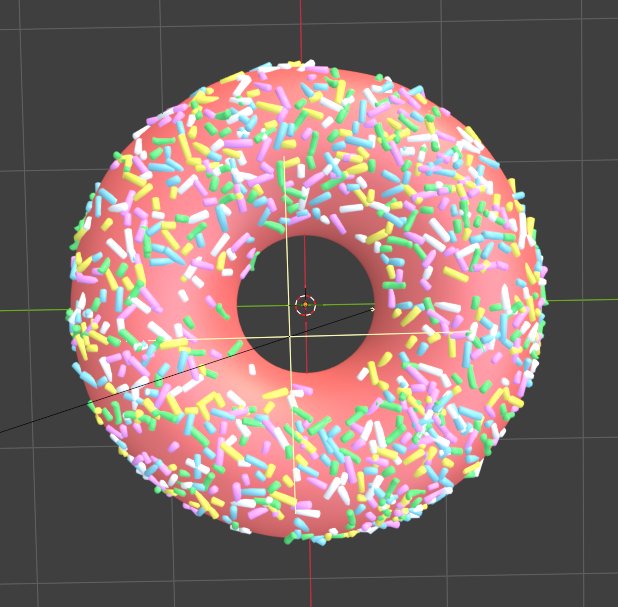
The donut works the other way round. Pink icing with rainbow sprinkles is barely about geometry; it is a symbol, a cultural convention for "treat". The sprinkles carry most of the meaning, which is why I spent the effort making them real geometry rather than a flat texture.
Dopamine, cortisol and food imagery · Week 5 lecture
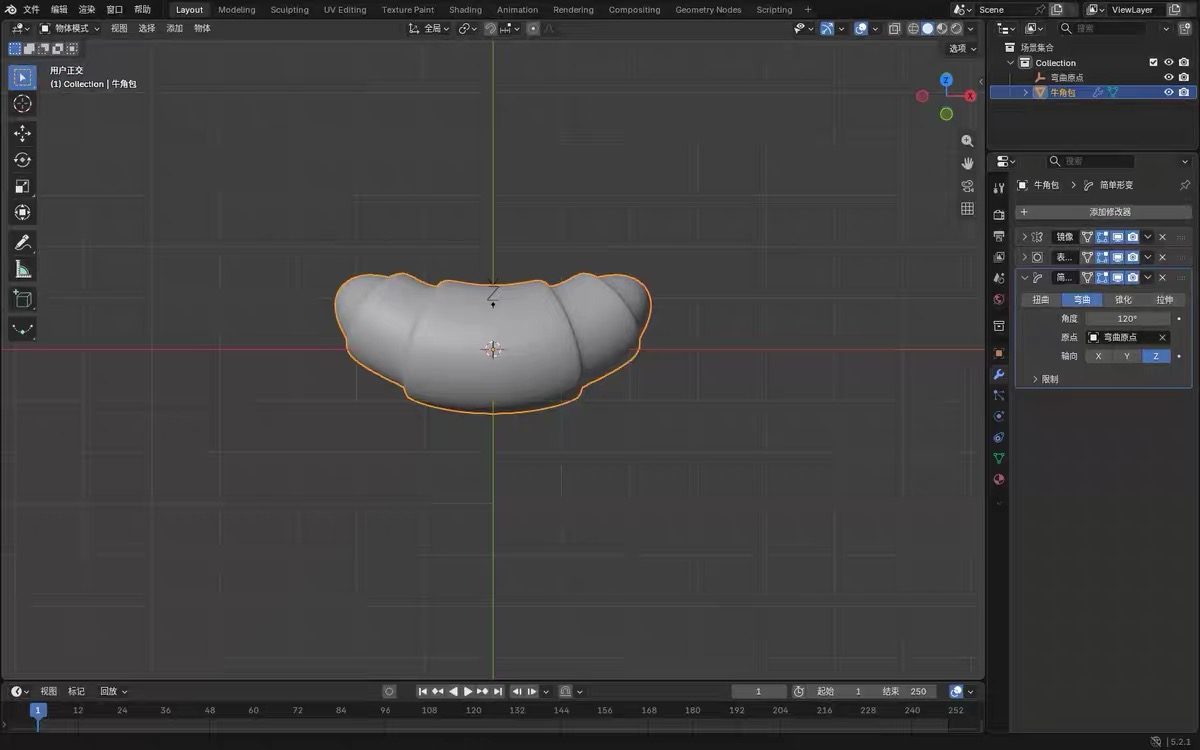
The Week 5 lecture described food imagery as "a great example demonstrating the power of imagery to have a direct physiological and psychological effect." That changed how I approached the croissant. Its geometry is simple — a segmented capsule bent 120° — and on its own it reads as a beige worm. What makes it look appetising is the material: the warm gradient from golden to deep brown, the glossy highlight on the crust, the flaky streaking in the surface. Those are exactly the parts the roughness and normal maps carry. It is the clearest reason I did not skip the texture-baking step, even though it was the slowest part of the whole module.
Gestalt and discourse analysis · Week 4 lecture
Two Gestalt principles explain why my two repetition-based models read as one object rather than hundreds of parts. The dustbin's diamond perforations work through similarity and continuity: identical openings in a regular rhythm are seen as one surface pattern, not as separate holes. The donut's sprinkles work through similarity as well — same size, same shape, varied only in colour — so the eye groups them into a texture. Discourse analysis gave me the vocabulary for the set as a whole: denotatively these are a bin and two pastries; connotatively they are a kitchen counter in the morning, which is the scene I wanted the published page to suggest.
Technical research Tutorials & software
The Module 1 tutorials are taught in Cinema 4D. I worked in Blender 5.2 on my own machine, so a large part of my technical research was translating each tutorial technique into Blender's equivalent — a C4D deformer into a Blender modifier, a C4D material into a Principled BSDF node setup. Doing that translation made me understand the underlying idea rather than just the button.
Skills developed
- Working from a flat reference photograph. For the bottle I spent half an hour on a square-on, evenly lit shot before touching Blender. Every proportion afterwards was tracing instead of guessing.
- Profile-first modelling — tracing a silhouette and revolving it. Used on the bottle and again on the dustbin.
- Modifier stacks (Tutorial 2, primitives and deformers) — Array and Simple Deform (Bend) to build repeating detail flat and then wrap it; Mirror for symmetry; Solidify and Subdivision Surface for shells.
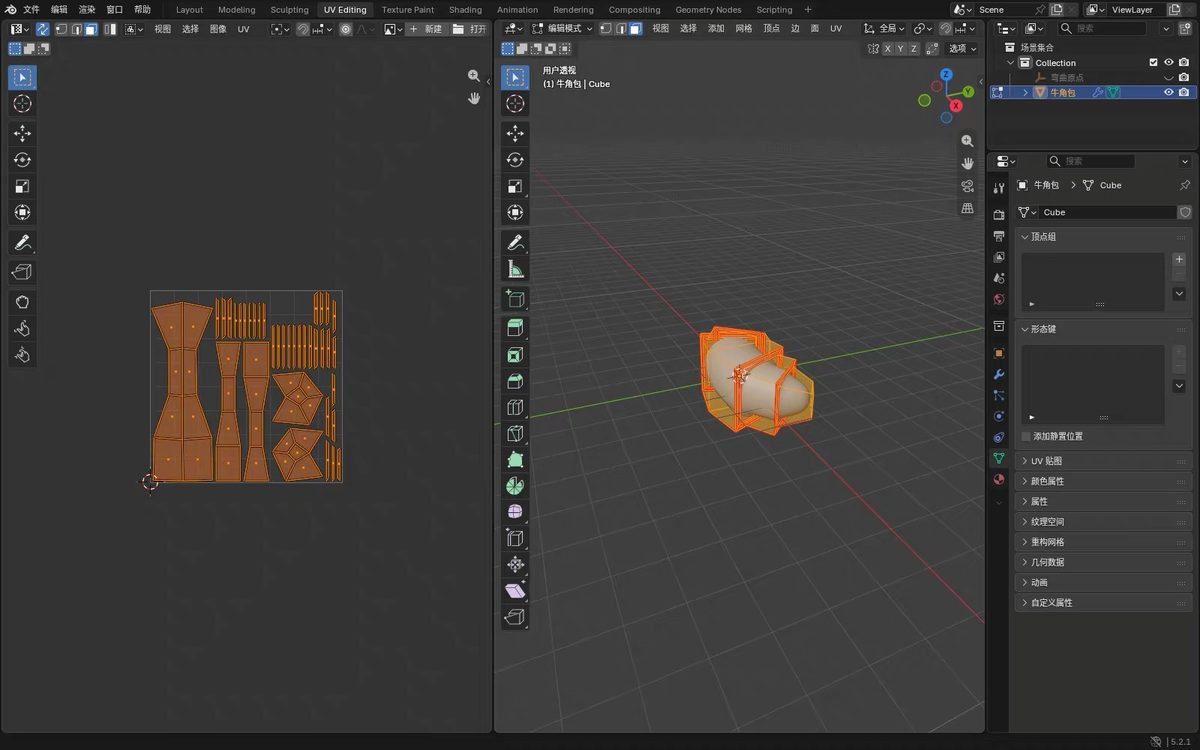
- UV unwrapping and PBR baking (Tutorial 6, rendering, materials and lighting) — baking a layered procedural shader down to base colour, normal and roughness maps.
- Export, test, publish (Tutorial 8, digital publishing) — exporting glTF Binary (.glb), checking it in a third-party viewer, then importing into Google <model-viewer>.
- AI modelling as comparison (Design Challenge 2) — generating two figures with Meshy AI and Hi3D next to a ghost I modelled by hand.
What went well
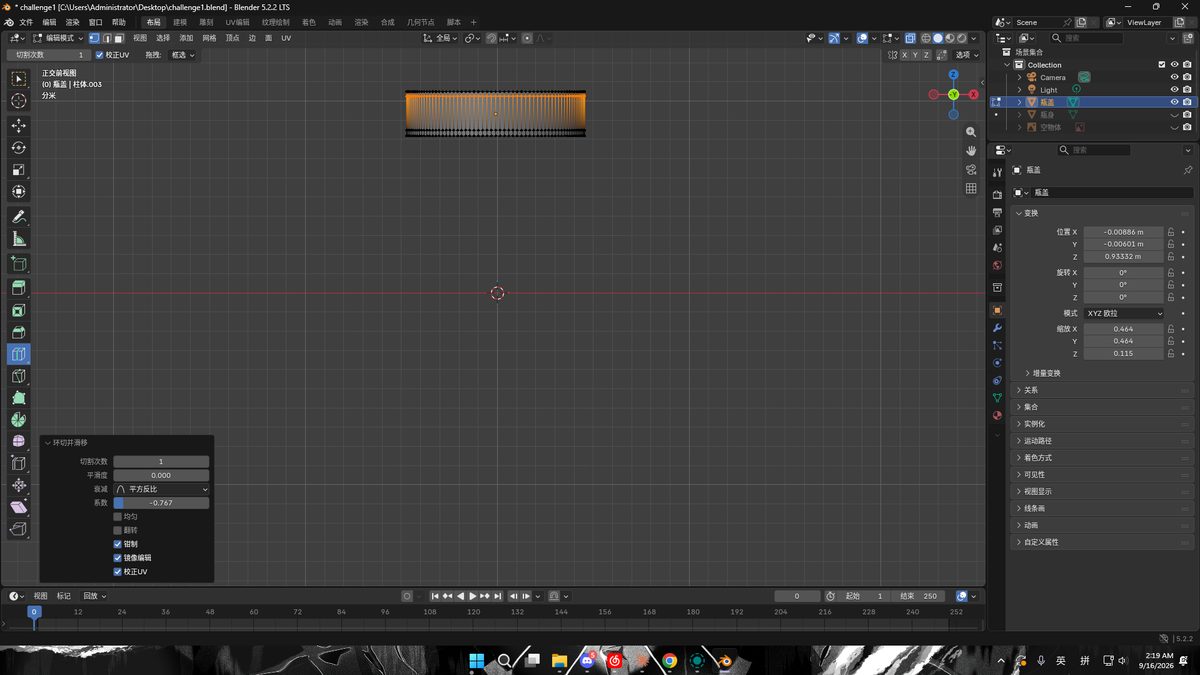
- Letting modifiers solve the hard part. The knurled bottle cap was the first problem I could not solve by hand. Building one rib flat, repeating it with an Array and wrapping the strip with a Bend modifier worked on the first try, after two hours of trying to cut ribs into a curved surface.
- The croissant pipeline held end to end — reference, form, bend, unwrap, bake, export, publish, with no step failing.
- The AI comparison was useful precisely because it failed. The AI figures took about two minutes each and look convincing from a distance, but one has no face, the other has a jacket passing through the body, and one arrived at 2,000,000 triangles that cannot be edited. My hand-built ghost is simple, but every vertex is mine and I can change any of it.
What was a challenge
Tutorial 6 warns that "materials and lighting may or may not work so you need to test early and make sure to export materials properly." All three of my real failures proved it — each was the same failure in different clothes: what I could see in the viewport was not what left the file.
| Problem | Cause | Fix |
|---|---|---|
| The ghost exported with one eye | The second eye was a Mirror modifier result, not real geometry, and the export was not applying modifiers. | Enable Apply Modifiers on export, or apply the stack first. |
| The ghost's glow disappeared | It relied on subsurface scattering, which the glTF PBR standard does not have. Transmission did not carry either. | Bake the lit look into a texture, or accept a simpler material and document the loss. |
| The croissant's shader and seeds | A layered procedural shader cannot be exported at all, and the seeds were hair particles, which glTF does not support. | UV unwrap and bake to three maps; convert the particles to real mesh before export. |
Design elements and principles
- Form and proportion. All three published models reduce to a primitive — a torus, a revolved profile, a bent cylinder. The design work is in the proportions, not the complexity.
- Repetition and rhythm. Sprinkles, perforations and cap ribs are all repeated by the computer, with particles or arrays. Repetition generated procedurally reads as more even and deliberate than repetition placed by hand.
- Texture and material contrast. Matte against glossy, smooth against knurled. The bottle only looked real once the cap was matte cream against a glossy blue body; the croissant only looked edible once the crust had gloss.
- Economy. The dustbin reads as convincingly at 3,672 triangles as the croissant does at 222,464. Polygon count is a budget, not a measure of quality.
- Unity. Three objects at one scale, chosen so the published page reads as one collection.
Citations
Braun, J. (2026). DESN 27425 Week 4 lecture: Research — Semiotics, Gestalt, and Discourse. Sheridan College. Includes Project 1 Deliverables and Process Documentation requirements.
Braun, J. (2026). DESN 27425 Week 5 lecture: Dopamine, Cortisol, and Semiotics. Sheridan College.
Braun, J. (2026). Module 1 Tutorials 2, 6 and 8: Primitives and Deformers; Rendering, Materials, and Lighting; Digital Publishing. DESN 27425, Sheridan College.
Braun, J. (2026). Module 1 Design Challenge 1: Objects; Design Challenge 2: 3D Modelling and AI Modelling; Project 1 Final Design Options. DESN 27425, Sheridan College.
Interaction Design Foundation. Gestalt Principles. interaction-design.org/literature/topics/gestalt-principles (Week 4 reading).
Toptal. Gestalt Principles of Design. toptal.com/designers/ui/gestalt-principles-of-design (Week 4 reading).
Blender Foundation. Blender 5.2 LTS. Google. <model-viewer> 3.5.0. Khronos Group. glTF Viewer (gltf-viewer.donmccurdy.com), used to test every export before publishing.
AI use — Meshy AI and Hi3D. Used in Design Challenge 2 to generate two figures from reference images, following the AI modelling option that brief offered. Documented as experiments and comparisons; not my own modelling work, and neither appears in Project 1.
AI use — Claude (Anthropic). Used as a troubleshooting and writing assistant: diagnosing the missing-eye export bug, explaining why subsurface scattering does not survive a glTF export, outlining the texture-baking workflow, and editing this document. All modelling, UV work, texturing and exporting was done by me in Blender.